Official OVERHEAD Links
Canonical Roblox URLs and the best wiki pages to open next.
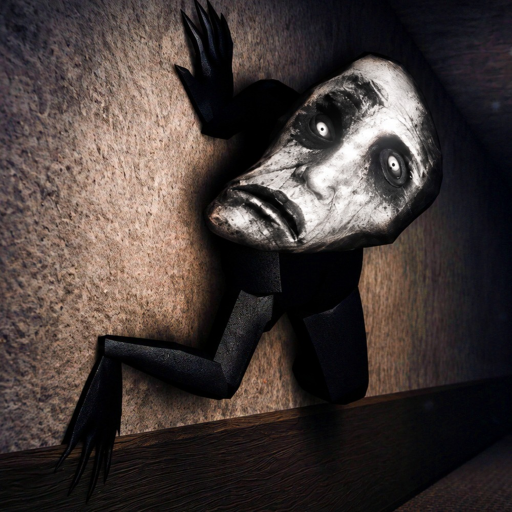
Use this page when you need the real OVERHEAD destinations — not copycat experiences, not random Discord invites from comment sections. Everything gameplay-critical on this fan wiki eventually points back to two Roblox URLs: the experience itself and the creator group behind it.
Official Roblox links
| Resource | URL | Why it matters |
|---|---|---|
| OVERHEAD [HORROR] experience | roblox.com/games/114913117178927/OVERHEAD | Join the real hotel maze; check Updated timestamps and favorites |
| Escape The Monster Games group | roblox.com/communities/147736394 | Creator community; shouts, wall posts, future announcements |
Universe ID for tooling and asset references: 8715714238. Created 14 September 2025. A notable update stamp sits on 8 October 2026. Genre framing: survival / escape horror with a hotel corridor fantasy — drawers for keys, levers for exit steel bars, a crawler on walls and ceiling, lockers, breath holds, and struggle escapes. Max players: 24. Visits and favorites climb on the public page; treat live counters there as source of truth over any mirror.
How to verify you are on the right place
- Match the numeric experience ID 114913117178927 in the URL.
- Confirm the creator line shows Escape The Monster Games / community 147736394.
- Prefer joining from this Links Hub or your Roblox favorites rather than unmarked video descriptions.
- If a “OVERHEAD” place asks for odd purchases or redirects oddly, leave and return to the official link above.
What this wiki is (and is not)
overhead.wiki is a fan-made multilingual guide site. It is not an official Escape The Monster Games product. We organize walkthroughs, survival tips, honest code status, and script feature warnings so players spend less time on misinformation. For developer-authored news, always prefer the group and experience page.
Players sometimes say OVERHEAD’s atmosphere reminds them of MONOCHROME or Boisvert-like analog horror. That is a vibe comparison only. Do not assume shared ownership unless the creators confirm it — we do not.
Essential wiki destinations
Start here depending on your goal:
- New to the game → Getting Started
- Want a full escape outline → Full Walkthrough
- Dying to the crawler → How to Hide
- Stuck on objectives → Find Keys & Levers
- All tutorials → Guides Hub
- Solo vs 24-player tips → Players Hub
- Habit ranking → Survival Tier List
- Patch tracking → Updates Hub
- Promo codes → Codes Hub (none active today)
- Executor / ESP talk → Scripts Hub (no loadstrings; safety first)
Social and community hygiene
Be careful with unofficial Discords, “free script” servers, and comment-section file links. Malware posing as OVERHEAD helpers is common across Roblox horror titles. If you only need official contact surfaces, the group page is enough. If you only need to play, the experience link is enough.
When sharing OVERHEAD with friends, send them:
- The official game URL from this page.
- Getting Started or Players for headphones and session expectations.
- A reminder that codes are currently nonexistent so they do not stall on scam lists.
Keeping bookmarks fresh
After updates (see Updates), re-open the Roblox place once to confirm description changes, then return to gameplay guides if levers or audio feel different. Favorite both the experience and the group so Roblox can surface them in your lists.
Quick facts card
- Title: OVERHEAD [HORROR]
- Platform: Roblox
- Creator: Escape The Monster Games
- Loop: Hotel maze → keys in drawers → levers free exit bars → survive the crawler
- Session size: up to 24 players
- Fan wiki: this site (guides, tiers, honest codes/scripts notes)
Bookmark this Links Hub. When someone asks “is this the real OVERHEAD?” paste the two official URLs and move on to surviving the corridors together.
Frequently Asked Questions
Quick answers for surviving OVERHEAD’s hotel maze.
What is the official OVERHEAD Roblox link?
https://www.roblox.com/games/114913117178927/OVERHEAD — always match that experience ID before joining.
Who made OVERHEAD?
Escape The Monster Games. Their community page is https://www.roblox.com/communities/147736394.
Is this wiki official?
No. It is a fan resource. For official announcements, use the Roblox experience and creator group pages.
What is the universe ID?
8715714238. Useful for tools and verification; you still join via the public experience URL.
Where should new players go after this page?
Open Getting Started for the core loop, then How to Hide and Find Keys & Levers before a Full Walkthrough attempt.